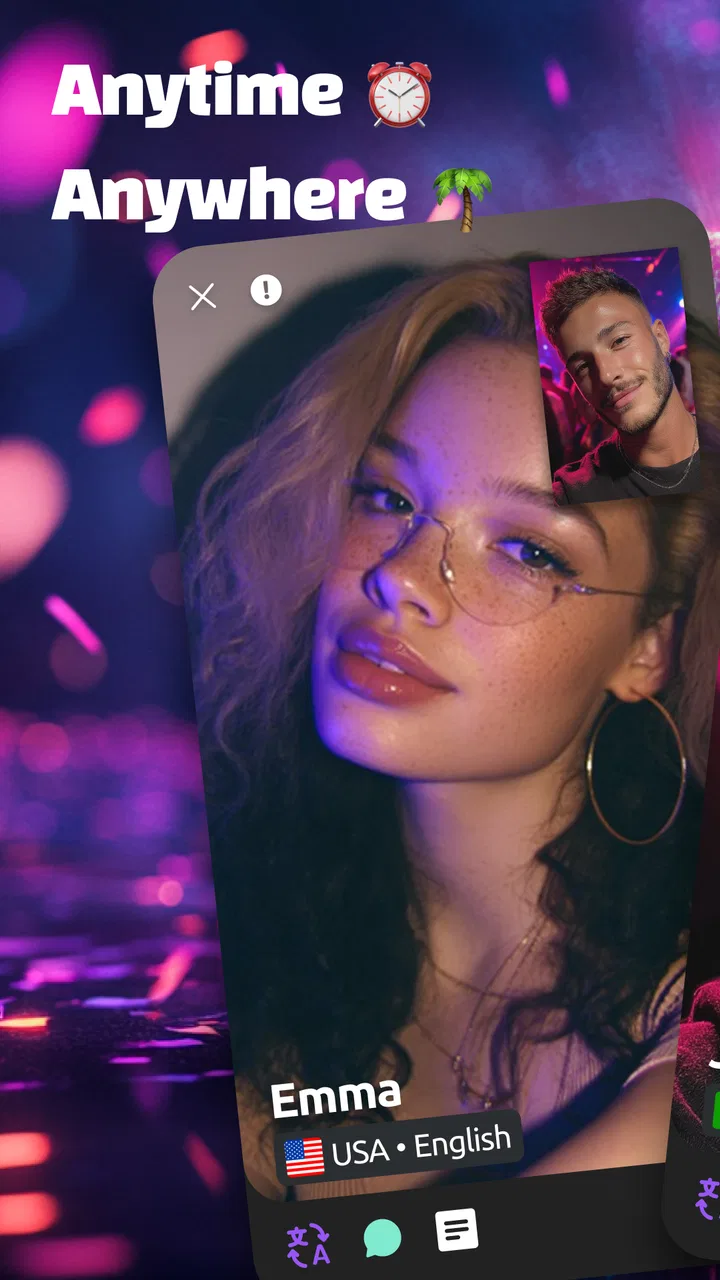
Bermuda Video Chat
- 4.2
- Rating
- 10.00M
- Installs
- Free
- Price

 Analysis by App-foxy
Bermuda Video Chat is the kind of social app I would approach with curiosity rather than automatic trust. Its purpose is straightforward: meet people through live video conversations, share moments, and make online friends across borders. In practice, that means the value depends less on polished presentation and more on how comfortable you feel speaking with strangers, managing your visibility, and ending conversations that do not feel right.
I reviewed it as a social app from Bermuda Inc., not as a replacement for a private messaging service or a carefully moderated community. That distinction matters. A live video environment can feel more immediate than text chat, but it also asks you to make quick decisions about privacy and personal boundaries. My overall impression is that it can be entertaining for open-minded adults who want spontaneous international contact, while people seeking predictable conversations, strong control over who reaches them, or a quieter social experience may prefer a different type of platform.
What the experience is really built around
The central appeal is immediacy. Instead of composing a profile message and waiting for a reply, you enter a setting where the human element is visible from the beginning. That can make a short conversation feel more natural than a long exchange of introductions. I found the format best suited to small pockets of free time: a few minutes after work, a break during travel, or an evening when I wanted casual interaction without committing to a large online group.
You May Also Like

 Pandora - Music & Podcasts
Pandora’s Music Is Easy to Start, but Harder to Recover
Pandora’s strength is its low-effort path from a seed to a station. Its weak spot is how much confidence it asks you to place in connection, setup, and quiet recovery.

 AccuWeather: Weather Radar
AccuWeather Review: A Quick, Clear Forecast for Everyday Decisions
For everyday plans, the best forecast is the one you can understand quickly. AccuWeather makes rain timing, radar, and local conditions easy to act on, with a few trade-offs.

 Hill Climb Racing
Why Hill Climb Racing Still Turns Crashes Into One More Run
A tiny car, a bumpy hill and one more upgrade: Hill Climb Racing keeps resurfacing because its simple chaos makes every near-miss feel personal.

 AliExpress - Shopping App
AliExpress Makes Global Shopping Feel Personal, but Shoppers Bear the Risk
AliExpress turns a global marketplace into a pocket-sized discovery engine. Its reach is useful, its shopping loop compelling, and its trade-offs easy to miss.

 Lords Mobile: Kingdom Wars
Lords Mobile Is a Kingdom-Building Routine, Not a Quick Match
A case-by-case verdict on the building, battles, device demands, and social commitments that make Lords Mobile rewarding for some players and exhausting for others.

 PDF Scanner app - TapScanner
TapScanner Makes Paperwork Easier to Capture, Check, and Share
TapScanner makes scanning with a phone feel less like a rescue operation and more like a dependable step in getting work done. Its capture tools are useful, though not flawless.
More From Our News Desk
View All News


That same immediacy is also the app’s main challenge. Video reveals more than text does. Your face, surroundings, voice, and reactions can all become part of the interaction. Even when you intend to have a harmless conversation, the other person may not share your expectations about tone, privacy, or duration. I would therefore treat every session as a public-facing social moment, even if the conversation feels personal.
The app sits in the social category, but it occupies a different space from traditional social networks. A standard network usually gives you time to build context through posts, profiles, comments, and mutual connections. Bermuda Video Chat places the conversation first. That makes it more spontaneous, but it gives you less information before you engage. If you enjoy discovering personalities without much preparation, that can be exciting. If you want to screen people carefully, the format may feel too abrupt.
Its audience reach is clearly substantial: the app has passed 10 million installs, and its average rating is 4.2 from roughly 175 thousand ratings. Those figures suggest that the concept has found a broad audience, but they should not be mistaken for a guarantee that every conversation will be worthwhile. Live social apps are highly dependent on timing, the people available when you open them, and your own willingness to leave an awkward interaction quickly.
Who will get the most from it
I think it is a good match for adults who enjoy meeting people from different backgrounds and do not mind that some conversations will be brief or uneven. It may also suit language learners who want informal exposure to real voices and everyday expressions. The video format can make communication more engaging than studying isolated phrases, although I would not treat every chat as a reliable learning environment.
It is less suitable for anyone under the stated mature age requirement, for people who feel pressured by live interaction, or for users who need a highly structured community. Someone looking for professional networking, dependable customer support, serious dating tools, or a private family chat should choose an app designed specifically for that purpose. Bermuda’s broad social focus is part of its charm, but it also means you need to define your own boundaries instead of expecting the app to do all the filtering for you.
A realistic everyday use case
Imagine finishing dinner with twenty minutes before your next task. You open the app hoping for a quick conversation, rather than scrolling through a feed. The useful approach is to decide your limits first: whether you are comfortable appearing on camera, how long you want to stay, and which subjects you will avoid. If a conversation is friendly, you can continue naturally. If the other person asks for personal details or makes you uncomfortable, leaving immediately is more sensible than trying to be polite.
That small preparation changes the experience. Without it, the app can turn into aimless switching between conversations, with each new interaction demanding attention. With it, the same short session becomes a controlled social activity. I found that the best results came from treating each chat as optional rather than as an obligation to entertain the other person.
Trust begins with what you can see and control
For a live video app, trust is not something I would decide from the name, the download count, or the visual design alone. I would look at the choices presented during sign-up, the information requested by the app, the visibility of profile details, and the ease of ending a conversation. These are the moments where a user can tell whether the experience respects personal boundaries.
Before using any social video service, I recommend reading the permission prompts instead of accepting them automatically. Only grant access that makes sense for the action you are taking, and review those choices later in your phone’s settings. The practical question is not whether an app is social; it is whether you understand what you are allowing at each step. If a request seems unrelated to the feature you want, pause and investigate it before continuing.
I would also pay attention to account controls as soon as the app is installed. Look for ways to edit visible information, manage notifications, restrict unwanted contact, and report behavior. These controls matter more in live video than in a normal feed because a problematic interaction can happen immediately. A platform may be enjoyable overall while still requiring you to use its controls actively.
Handling sensitive moments during a live chat
The most important privacy habit is to check your surroundings before turning on video. A bedroom, workplace, school badge, street view, delivery label, or family member in the background can reveal more than you intended. I would use a neutral background when possible and remove visible documents or objects that identify where I live. This is a simple step, but it is more useful than trying to recover privacy after something has already appeared on camera.
Do not share your full name, home address, personal phone number, passwords, financial details, or private account information with someone you have just met. The same applies to one-time verification codes and screenshots of private conversations. A friendly tone is not proof of trustworthiness. If a person pushes for contact outside the app, asks for money, or creates urgency, I would end the conversation rather than negotiate.
Another overlooked issue is recording. In a video conversation, you cannot assume that the other participant will treat the exchange as temporary. Avoid showing anything that would cause serious harm if captured or repeated. This is not a reason to avoid the app entirely; it is a reason to keep the camera view and conversation appropriate for a stranger-facing service.
Age awareness is essential here. The app carries a mature rating of 17+, so it is not something I would recommend to younger users. Adults should still remember that a mature rating does not make every interaction mature, respectful, or safe. Parents and guardians should not treat the rating as a substitute for supervision or a conversation about online boundaries.
How I would use the available choices
User agency is strongest when you make decisions before the conversation becomes emotional. I would begin with a minimal profile, avoid adding identifying details, and keep notifications limited to what I actually want to receive. If the app offers a setting whose purpose is unclear, I would leave it unchanged until I understand it rather than choosing the most open option by habit.
During a conversation, leaving is a complete response. You do not owe a stranger an explanation for ending a chat. If the interaction becomes sexual, hostile, manipulative, or simply uncomfortable, close it. If reporting or blocking controls are available in the current interface, use them when appropriate and avoid re-engaging just to prove a point.
I would also separate social curiosity from personal trust. A person can be interesting without becoming a contact outside the app. If you decide to continue talking elsewhere, use a separate account that does not expose your main identity, and make that move only after you have had enough time to judge the person’s behavior. Keeping the first stage inside the app gives you more room to change your mind.
Notifications deserve special attention. Live social apps can encourage frequent checking, and repeated alerts may make casual use feel more demanding than intended. I would disable anything that interrupts work, sleep, or family time. The best experience is one that fits into your routine rather than quietly taking over it.
Free access, purchases, and practical expectations
The app is free to download and use, but it includes in-app purchases ranging from $0.99 to $199.99 per item. That is a wide range, so I would be careful around any virtual items, upgrades, or optional actions that appear during use. Before confirming a purchase, check exactly what it provides, whether it is one-time or recurring, and whether the benefit is genuinely useful to you.
My advice is to set a spending limit before exploring paid features. Social apps can make small purchases feel harmless because they are attached to a conversation or moment of excitement. A series of small decisions can become expensive, especially when you are trying to keep someone’s attention or improve your visibility. If you would not pay for the same interaction outside the app, think twice before paying inside it.
Performance also affects trust. Video chat depends on a stable connection, a working microphone, and a camera environment that you control. If the connection is poor, the conversation may become frustrating or misunderstandings may increase. I would test the app on a reliable network first, keep the phone charged, and avoid starting a sensitive conversation when the connection is unstable. A dropped call is inconvenient; a misunderstood request involving private information is more serious.
The current version is 2.35.2 and the app supports Android 6.0 or later. That makes it accessible to many older Android devices, although support for an operating system does not guarantee the same camera quality or smoothness on every phone. If video feels delayed or the device becomes hot, I would reduce other background activity and update the phone when possible rather than assuming the conversation itself is the problem.
Where it differs from familiar alternatives
Compared with text-first social networks, Bermuda Video Chat offers faster emotional feedback. You can hear hesitation, see reactions, and decide quickly whether a conversation feels natural. The trade-off is reduced preparation. A text profile gives you more time to choose what to reveal, while live video can expose personal details before you have established trust.
Compared with messaging apps used among friends, it is more discovery-oriented and less private by default in spirit. Messaging apps are usually strongest when you already know who you want to contact. Bermuda is more appropriate when the point is meeting someone new, but that also means you should expect a wider range of personalities and intentions.
Compared with dating-specific services, it does not give me the same reason to assume that a conversation has romantic intent. That can be refreshing for people who want general social contact, but it may disappoint users looking for detailed compatibility tools or a clearly defined relationship path. Compared with moderated interest communities, it may also feel less focused because the conversation is not necessarily organized around a shared hobby or subject.
In short, I would choose Bermuda for spontaneity and international conversation, a messaging app for trusted contacts, a forum or interest group for topic-based discussion, and a specialized dating service for relationship-focused matching. None of those alternatives is universally better; each simply gives you a different level of context and control.
What I would check before committing to regular use
I would start with a short trial rather than immediately building a detailed profile or spending money. Notice how easy it is to control your visibility, stop a conversation, manage notifications, and handle unwanted behavior. Pay attention to your own reaction as well: do you feel relaxed and curious, or rushed and exposed? That answer is more useful than trying to force the app into a role it was not designed to fill.
I would also review the account and privacy choices periodically. Apps change, interfaces move settings, and users often forget what they enabled during the first session. A monthly check of permissions, notifications, profile details, and purchase settings is a practical habit. If you stop using the service, remove information you no longer want displayed and follow the available account-management options rather than leaving an abandoned profile active.
For language practice, I would prepare a few neutral conversation topics before opening a session. This avoids revealing personal information simply because the first silence feels awkward. For casual entertainment, I would use a time limit. For meeting people from another country, I would remember that cultural differences can affect humor, directness, and expectations around privacy. Curiosity works best when paired with patience.
My cautious verdict
I see Bermuda Video Chat as a lively option for adults who genuinely want spontaneous video conversations and are willing to manage their own boundaries. Its free entry, broad reach, and direct format make it easy to try, while the social category keeps the experience open-ended rather than locked to one purpose. I can recommend it to a friend who enjoys meeting strangers and understands that not every chat will be meaningful.
I would not recommend it to someone who wants guaranteed privacy, carefully screened contacts, a professional environment, or a completely passive way to socialize. The app asks for active judgment. You need to decide what appears on camera, what information stays private, when a conversation ends, and whether any purchase is worth making.
My final advice is simple: begin with less information than you think you need, keep the camera background neutral, review permissions and account choices, and leave quickly when a conversation crosses your line. Used that way, Bermuda can be a fun window into spontaneous global interaction. Used without those precautions, the same immediacy that makes it appealing can become its biggest weakness.
FAQs for Bermuda Video Chat
01What is Bermuda Video Chat and how does it work?
Bermuda Video Chat is a social video-calling app designed to connect you with new people through live, face-to-face conversations. After creating a profile, you can discover users and start video chats, often with matching or filtering options based on preferences. The experience is focused on spontaneous interaction, so the people you meet may be from different countries and backgrounds.
02Is Bermuda Video Chat free to download and use?
The app can generally be downloaded at no initial cost, but some features may depend on in-app purchases, virtual credits, subscriptions, or other premium options. Free access may be limited by chat time, matching tools, filters, or the number of interactions available. Before using paid features, check the current pricing, renewal terms, and payment information shown in the app store or inside the application.
03Is Bermuda Video Chat safe for meeting strangers online?
Bermuda Video Chat includes a social environment where you communicate with people you may not know, so users should remain cautious. Avoid sharing your home address, phone number, passwords, financial details, or private documents. Use the report and block tools whenever someone behaves inappropriately, and remember that profiles or conversations may not always represent a person accurately.
04Does Bermuda Video Chat require a camera, microphone, or account?
Because the main purpose of Bermuda Video Chat is live video communication, the app normally needs access to your device’s camera and microphone for calls. You may also need to create an account or profile before using its matching and chat functions. Review each permission request carefully, allow only what is necessary, and check your device settings if you want to disable camera or microphone access later.
05Can I control who contacts me or stop unwanted conversations?
Your control options may include skipping a match, ending a video call, blocking a user, or reporting inappropriate behavior. These tools are important because video-chat platforms can expose you to unexpected conversations. Take a moment to review the privacy and safety settings after installation, and contact the app’s support team if harassment, suspicious activity, or repeated unwanted contact continues.
Pros
- Quick video matching makes it easy to meet new people.
- Simple interface is suitable for first-time users.
- Live interactions feel more personal than text-only chat.
- You can discover users from different countries and cultures.
- Short sessions help keep conversations fast and engaging.
Cons
- User quality and conversation topics can vary considerably.
- Some features may require in-app purchases or virtual currency.
- Video chat can consume significant mobile data and battery.
- Availability of matches may depend on your location and time.
- Privacy settings should be reviewed carefully before sharing personal details.

Bermuda Video Chat
Gallery